
 Mods can significantly enhance your gaming experience in Satisfactory, allowing you to add new features, optimize performance, and customize gameplay to suit your preferences. This guide will walk you through how to get, install, and manage Satisfactory mods efficiently.
How to Get Satisfactory Mods
Finding Satisfactory Mods
Finding mods for Satisfactory is straightforward, thanks to a few reliable sources:
- Fixit.app
- Website: Fixit.app
- Description: This is the official mod repository for Satisfactory. It hosts a wide range of mods and is the primary source for downloading mods safely and securely.
- GitHub
- Website: GitHub
- Description: Some mod developers host their projects on GitHub. This is a great place to find mods directly from the creators, ensuring you get the latest updates and support.
Searching for Mods
- Go to a Mod Website:
- Visit trusted mod sites like Fixit.app or GitHub.
- Use the Search Function:
- Utilize the search bar to find specific mods. You can filter results by popularity, latest updates, or categories.
- Check Compatibility:
- Ensure that the mod is compatible with your version of Satisfactory. Mod pages usually specify the versions they support.
- Read Descriptions and Reviews:
- Check mod descriptions, user reviews, and ratings to ensure the mod meets your needs and is stable.
- Download the Mod:
- Click the download button to get the mod file, typically in .smod or .zip format.
How to Download & Install Satisfactory Mods
Installing Mod Manager
- Download the Mod Manager:
- Visit Satisfactory Mod Manager and download the setup file for your operating system.
- Run the Installer:
- Execute the downloaded file and follow the installation prompts.
- Launch the Mod Manager:
- After installation, open the Satisfactory Mod Manager. It will automatically detect your game installation and prepare for mod management.
Activating Mods
- Open the Mod Manager:
- Launch the Satisfactory Mod Manager. You will see options to select your game version (Steam or Epic) and whether you want to play the Early Access or Experimental build.
- Browse and Select Mods:
- Use the search bar to find mods or browse through categories. Click the slider to enable the mods you want to use.
- Install Mods:
- Click the "Install" button next to the mods you wish to add. The Mod Manager will handle the installation process, ensuring all files are placed correctly.
- Create and Manage Profiles:
- You can create different profiles for various mod setups. For example, have one profile for creative gameplay and another for your survival setup. This feature allows you to switch between different sets of mods effortlessly.
Download Satisfactory Mods
- Visit Fixit.app:
- Go to Fixit.app, the primary repository for Satisfactory mods.
- Search for Mods:
- Use the search bar or browse through the categories to find the mods you are interested in.
- Download the Mod File:
- Click on the mod, review its details and compatibility, and then download the .smod or .zip file.
- Using the Mod Manager:
- Open the Satisfactory Mod Manager, navigate to the downloaded file location, and install the mod through the manager interface.
Satisfactory Mods Manager
Features of the Mod Manager
The Satisfactory Mod Manager offers a user-friendly interface with several powerful features:
- Platform Compatibility:
- Supports both Steam and Epic Games versions of Satisfactory.
- Game Version Selection:
- Easily switch between Early Access and Experimental versions.
- Dark Mode:
- Toggle between light and dark themes for better visibility and user preference.
- Filter and Search:
- Filter mods by compatibility, installation status, and favorites. Use the search bar to quickly find specific mods.
- Profile Management:
- Create and manage multiple profiles for different gameplay styles. Export and import profiles to share setups with friends.
- Mod Activation:
- Enable or disable mods with a simple click. The manager handles all the backend work to ensure mods are correctly installed and activated.
What are the best MODs for Satisfatory?
As it usually happens in almost any game with MODs, there are several of them that are already starting to stand out, either because of how well they are developed, or because the idea they add to the game is useful for the vast majority of players. Normally, the best MODs for a game are not those that change it notably, but those that improve certain details that the original game did not have well polished, or had not been sufficiently deepened. These MODs are usually called "Quality life".Refined Power
 Undoubtedly, one of the best MODs at the moment. Refined Power adds more than 20 new constructions to the game, all of them focused on the production of energy in an alternative way to what we can find in the original version. Wind turbines, solar panels, fusion and hydroelectric plants... In short, this MOD is specialized in improving and giving more depth to the game by improving the energy production branch.
Download Refined Power
Undoubtedly, one of the best MODs at the moment. Refined Power adds more than 20 new constructions to the game, all of them focused on the production of energy in an alternative way to what we can find in the original version. Wind turbines, solar panels, fusion and hydroelectric plants... In short, this MOD is specialized in improving and giving more depth to the game by improving the energy production branch.
Download Refined Power
Ficsit Farming
 From the same creators of Refined Power, Ficsit Farming is one of the MODs that we most recommend today. Like its big brother, this MOD focuses on a "branch" of the game that the developers have not yet exploited: farming. You could say that it is a kind of expansion for Satisfactory, with which you can create 14 new constructions focused on the theme of farms and agriculture (yes, futuristic agriculture and made factory). Undoubtedly, one of my favorites to date, as it improves the depth of the game and really does not give the feeling of playing a MOD.
Download Ficsit Farming
From the same creators of Refined Power, Ficsit Farming is one of the MODs that we most recommend today. Like its big brother, this MOD focuses on a "branch" of the game that the developers have not yet exploited: farming. You could say that it is a kind of expansion for Satisfactory, with which you can create 14 new constructions focused on the theme of farms and agriculture (yes, futuristic agriculture and made factory). Undoubtedly, one of my favorites to date, as it improves the depth of the game and really does not give the feeling of playing a MOD.
Download Ficsit Farming
Mk++
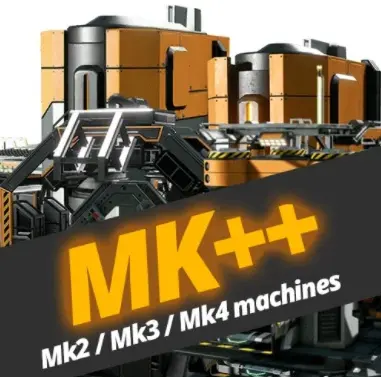 This is another one of those MODs so well called "Quality Life", and it adds new Mk2, Mk3 and Mk4 tiers to the original constructions of the game that do not have higher levels. These new tiers for buildings serve to increase the production efficiency of the building. In short, Mk++ for Satisfactory will offer you more than 40 improved builds that are not available in the original version.
Download Mk++ MOD
This is another one of those MODs so well called "Quality Life", and it adds new Mk2, Mk3 and Mk4 tiers to the original constructions of the game that do not have higher levels. These new tiers for buildings serve to increase the production efficiency of the building. In short, Mk++ for Satisfactory will offer you more than 40 improved builds that are not available in the original version.
Download Mk++ MOD
Light It Up
 A MOD only specialized in lighting systems, something that Satisfactory does not have today. With this MOD you can add all kinds of lamps of different types in your factory, and configure "groups" to turn on and off according to your needs. Although today it is a very popular MOD, it seems impossible to think that the developers will not add a lighting system at some point.
Download Light It Up MOD
A MOD only specialized in lighting systems, something that Satisfactory does not have today. With this MOD you can add all kinds of lamps of different types in your factory, and configure "groups" to turn on and off according to your needs. Although today it is a very popular MOD, it seems impossible to think that the developers will not add a lighting system at some point.
Download Light It Up MOD
MoarFactory
 This Mod could be categorized as an "all-in-one", which incorporates several functions to the game. In order to use it within the game, you will have to craft the MoarFactory Tablet, with which you will be able to access everything that the MOD offers. Among the outstanding options is the option to fly or change the camera to third person. It also adds a large number of decorative constructions, such as walls, stairs, foundations, and special buildings (but mostly only serve as decoration).
Download MoarFactory MOD
This Mod could be categorized as an "all-in-one", which incorporates several functions to the game. In order to use it within the game, you will have to craft the MoarFactory Tablet, with which you will be able to access everything that the MOD offers. Among the outstanding options is the option to fly or change the camera to third person. It also adds a large number of decorative constructions, such as walls, stairs, foundations, and special buildings (but mostly only serve as decoration).
Download MoarFactory MOD
Smart!
 This MOD is a conglomerate of tools that will facilitate gameplay when developing your factory in Satisfactory. It is one of the most popular MODs, thanks to the time savings that learning how to use it means to apply its improvements in our factory. What I like most about this MOD are the improvements it adds to the construction, as it allows us to build "in series", and even allows us to "auto-connect" the constructions with perfectly organized conveyor belts.
Download Smart! MOD
This MOD is a conglomerate of tools that will facilitate gameplay when developing your factory in Satisfactory. It is one of the most popular MODs, thanks to the time savings that learning how to use it means to apply its improvements in our factory. What I like most about this MOD are the improvements it adds to the construction, as it allows us to build "in series", and even allows us to "auto-connect" the constructions with perfectly organized conveyor belts.
Download Smart! MOD
More Milestones +100
 This is undoubtedly one of my favorite MODs, as it adds new missions and challenges to the game, making it more interesting to create Mega-Factories with very high productions. By overcoming the challenges, you will be able to unlock new constructions, new decorations and more space for your inventory. At higher levels, this MOD becomes more complicated, which will make it a challenge for try-hard players.
Download Milestones +100 MOD
This is undoubtedly one of my favorite MODs, as it adds new missions and challenges to the game, making it more interesting to create Mega-Factories with very high productions. By overcoming the challenges, you will be able to unlock new constructions, new decorations and more space for your inventory. At higher levels, this MOD becomes more complicated, which will make it a challenge for try-hard players.
Download Milestones +100 MOD
Storage Teleporter
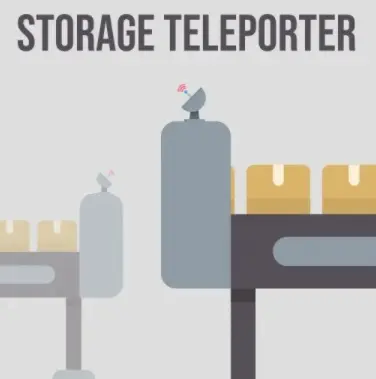 If you're sick of having to organize endless conveyor belts to transport materials, or you're tired of having to make belts that are too long to transport materials over long distances, this MOD is for you. The only thing it adds is a "storage teleporter", which will basically teleport the items that enter it, to the other storage teleporter assigned to it. This way, you will save materials and time when creating the connections in your factory.
Download Teleporter MOD
If you're sick of having to organize endless conveyor belts to transport materials, or you're tired of having to make belts that are too long to transport materials over long distances, this MOD is for you. The only thing it adds is a "storage teleporter", which will basically teleport the items that enter it, to the other storage teleporter assigned to it. This way, you will save materials and time when creating the connections in your factory.
Download Teleporter MOD
ExoSuit Mod
 This MOD doesn't really add anything new to the game as such, but it combines two mobility tools of the game (the jetpack and the blade runners), so you can wear them both at the same time and, therefore, acquire the effects and benefits of both at the same time. In addition, it doubles the speed/power of the movements that the jetpack and the blade runners would give us, and adds a dash ability that uses fuel to compensate it. It is a highly recommended MOD, as it does not spoil the game, it simply makes it more comfortable (after all, the game is about making factories, not about traveling long distances through the countryside).
Download Exosuit MOD
This MOD doesn't really add anything new to the game as such, but it combines two mobility tools of the game (the jetpack and the blade runners), so you can wear them both at the same time and, therefore, acquire the effects and benefits of both at the same time. In addition, it doubles the speed/power of the movements that the jetpack and the blade runners would give us, and adds a dash ability that uses fuel to compensate it. It is a highly recommended MOD, as it does not spoil the game, it simply makes it more comfortable (after all, the game is about making factories, not about traveling long distances through the countryside).
Download Exosuit MOD
Area Actions
 This is the perfect MOD for those who only want to focus on building mega-factories in the game. As its name suggests, this MOD allows us to perform tasks in area, which includes very OP functions such as selecting an area of your factory and copy it to paste it completely identical in another place. It also includes the option to fly, as if it were the "creative" mode. It could be categorized as a cheat MOD, but if you're having fun simply making factories and not actually playing the game, it doesn't have to be bad.
Download Area Actions
This is the perfect MOD for those who only want to focus on building mega-factories in the game. As its name suggests, this MOD allows us to perform tasks in area, which includes very OP functions such as selecting an area of your factory and copy it to paste it completely identical in another place. It also includes the option to fly, as if it were the "creative" mode. It could be categorized as a cheat MOD, but if you're having fun simply making factories and not actually playing the game, it doesn't have to be bad.
Download Area Actions
| Nombre | Tipo | Versión | Tamaño | Descargar |
| Satisfactory Mod Manager (SMM) & Launcher (SML) | MOD Manager | 3.0.0 | 75 MB |
|
| Area Actions | Utilities | 1.6.6 | 3.13 MB | |
| Additional 300 Inventory Slots | Inventory | 5.0.3 | 38 KB | |
| Pak Utility Mod | Utilities | 0.5.3 | 103 KB | |
| Floor Hole and Ceiling Logistics | Logistics | 2.0.10 | 2.476 KB | |
| More Milestones | More Milestones | 1.0.20 | 47 MB | |
| Smart! | Buildings | 17.0.10 | 9.5 MB | |
| Storage Teleporter | Construction and inventory | 1.0.4 | 59 MB | |
| MK++ | Buildings | 5.1.5 | 35 MB | |
| Ficsit Farming | Buildings | 4.0.1 | 283 MB | |
| Refined Power | Buildings | 3.0.6 | 223 MB | |
| Efficiency Checker Mod | Utilities | 2.1.3 | 10.6 MB | |
| Structural Solutions | Utilities | 1.1.5 | 69,9 MB | |
| Teleporter | Movement | 5.0.7 | 24.4 MB | |
| Item Dispenser | Items | 3.3.2 | 4.1 MB | |
| Daisy Chain Power Cables | Electricity | 2.0.2 | 94 KB | |
| MiniMap | Map | 1.0.11 | 469 KB | |
| Super (Alternate) Recipes | Recipes | 1.0.7 | 151 KB | |
| Big Storage Tank and MegaPump | Warehousing and Inventory | 2.0.3 | 932 KB | |
| Conveyor Wall Hole | Utilities | 2.0.2 | 82 KB |
Other Featured Mods for Satisfactory
- Pak Utility Mod
- Programmable Elevators
- Item Dispenser
- Teleporter
- MoarAssets
- MoarDevide
- Floor Hole and Ceiling Logistics
- FoundationIndustries
- Efficiency Checker Mod
- MiniMap
- Huge Storage
- X3-Signs V2
- PowerSuit
- Advanced Logistics
- Daisy Chain Power Cables
- PowerSuit Modules
- Conveyor Wall Hole
- Miner Mk4 Mod
- Conveyors Mod
- Big Storage Tank and MegaPump
- Utility Signs
- No Fall Damage
- Stack Overflow
- Ramped Fences
- X3-Roads
- Permaday
- Item Hopper
- Micro Manage
- Rocket Launcher
- Passive Mode
- Flags Mod
- Multi Splitter/Merger Balancer
- Power Checker
- Item Spawner
- Unlock All Alternate Recipes
- 10+ Inventory Slots
- Hyper Boosters
- Wall Conveyors
- Better BladeRunners
- FicsIt-Networks
- Fast Craft Bench
- Covered Conveyor Belt
- Upside Down Foundatios and More
- Huge Inventory (+100 slots)
- Turbo Pumps
- Holes
- Calculator
- Double Freight Car
- Icon Sign Panel 2.0
- JetPack Mk.2