
Are There Mods for Celeste?
Are There Mods for Celeste?
Absolutely! The world of Celeste extends far beyond the original game thanks to a passionate modding community. These mods, or modifications, offer a plethora of new experiences and challenges for players. From custom levels and new mechanics to entirely new storylines, Celeste mods significantly enhance and diversify the gameplay. If you're eager to explore fresh content, discover new obstacles, or simply extend your time with Madeline's adventures, diving into the modding scene is a fantastic way to keep the Celeste experience ever-evolving and engaging.
Best MODs for Celeste
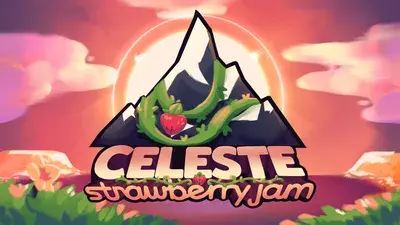
Strawberry Jam Collab
Strawberry Jam stands as the largest and most ambitious mod for "Celeste" to date. This expansive mod brings:
- 111 new maps spread across 5 difficulty levels
- Over 1,500 playable rooms
- 9 hours of original music
- 250+ strawberries to collect
- Stickers for added fun
Download Mod Everest MOD Manager
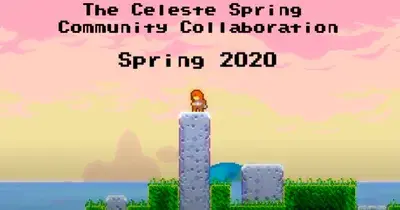
The 2020 Celeste Spring Community Collab
The 2020 Celeste Spring Collab contains:
- 5 Chapters: Each chapter offers a unique level of difficulty, catering to a wide range of players.
- 80+ Maps: Explore a diverse array of maps, each meticulously crafted by the community.
- 300+ Rooms: Experience over 300 rooms filled with challenging and engaging content.
- 1500+ Hours of Playtesting: Ensuring the highest quality and balance, this mod has undergone extensive testing.
- 175+ Strawberries: Collect an abundance of strawberries scattered throughout the maps.
- 40+ New Music Tracks: Enjoy an entirely new soundtrack featuring over 40 original compositions.
- New Custom Mechanics: Discover dozens of innovative mechanics that add fresh twists to the gameplay.
- New Sprites: Experience the game with many new, visually appealing sprites.
- Built-in Speedrun Times: Compete with built-in speedrun times to test your skills.
Maddie's Helping Hand
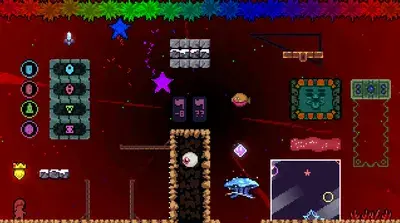
Maddie's Helping Hand is a valuable tool for "Celeste" modders, offering a range of entities, triggers, and features designed to enhance the modding experience.
- New Entities: Introduce fresh elements into your maps with brand-new entities.
- Customizable Vanilla Entities: Modify existing "Celeste" entities to better fit your map's needs.
- Triggers: Implement various triggers to create dynamic and interactive map elements.
- Customizable Styleground Effects: Tailor vanilla styleground effects to suit your map's aesthetic.
- Extra Features: Enjoy additional functionalities that streamline the modding process.
Extended Variant Mode
The Extended Variant Mode mod for "Celeste" offers a wealth of customizable options to tailor your gameplay experience.
- Gravity and Fall Speed: Create a "space" effect with reduced gravity and slower falls.
- Jump Height and Duration: Adjust how high and long Madeline can jump.
- Horizontal and Swimming Speed: Control Madeline's movement on land and in water.
- Stamina and Dash Settings: Modify climbing stamina and customize dash speed, duration, and count.
- Ground and Air Friction: Change how slippery surfaces are and how Madeline maneuvers in the air.
- Various Disables: Disable wall jumping, climbing, jumping out of water, and more for unique challenges.
- Advanced Movement Options, Visual and Special Effects, Environmental Challenges, Entity and Trigger Enhancements, Additional Features & Integrations with Other Mods.
The D-Sides Pack
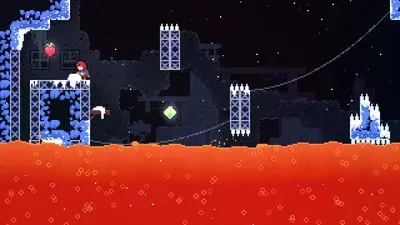
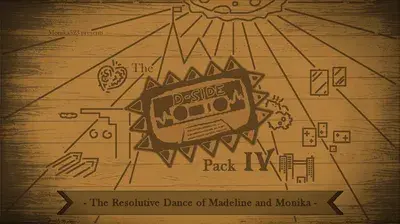
The D-Sides mod for "Celeste" offers some of the most challenging versions of the base game's chapters, pushing players to their limits with new ideas and mechanics.
- Official Walkthroughs: In-progress guides are available to help you navigate the toughest spots.
- Moonberry Guide: A useful reference for those aiming to collect the elusive Moonberry in 9D.
- Speedrun Tool: Features Save States for practice and assistance.
- Press Kit: Includes new D-Side Cassettes, chapter icons, and more.
- Platinum Berry Add-On: For the ultimate challenge, attempt a full deathless run of 9D
Gallery Collab 2024
Welcome to the 2024 Gallery Collab! After extensive development and polishing, we are thrilled to finally present this exciting mod to the Celeste community.
- Over 20 New Maps: Dive into a collection of more than 20 meticulously crafted maps.
- Stunning Lobby: Navigate through an incredibly beautiful lobby that sets the stage for your adventure.
- Difficulty Levels for Everyone: Whether you're a beginner or a grandmaster, this collab includes challenges across all difficulty levels.
- Innovative Mechanics: Discover several new game mechanics that add fresh twists to your Celeste experience.

CelesteNet
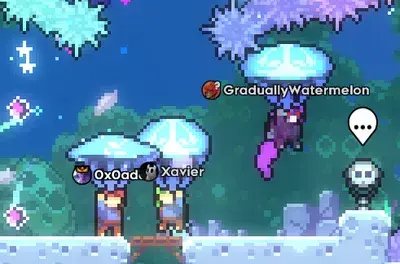
CelesteNet is an online multiplayer mod for "Celeste," crafted with dedication and enthusiasm. This mod offers a fresh way to experience the game.
- Chat Functionality: Press
Tto chat with other players. - Emojis: Use the right stick to select an emoji and click it to send. Customize your emotes through the settings file in your saves folder.
- Player List: Press
Tab(keyboard) orSelect/Back(controller) to view the list of players. - Commands: Type
/helpin the chat for a comprehensive list of commands.
Everest: Celeste MOD Manager
What is Everest MOD Manager?
Everest is a powerful, open-source mod loader and modding API specifically designed for Celeste, the critically acclaimed indie platformer. It allows players and developers to create and integrate custom map packs, texture replacements, and various code modifications seamlessly. Everest opens up a world of possibilities, enabling the community to expand the game far beyond its original scope. Whether you're a player looking for new challenges or a developer eager to experiment, Everest is the gateway to a richer, more diverse Celeste experience.Everest Features
Everest boasts a wide array of features that enhance and streamline the modding process for Celeste:- In-Game Updater and Dependency Downloader: Keep your mods up-to-date effortlessly with automatic updates and dependency management.
- Cross-Platform Compatibility: Everest works on Windows, macOS, and Linux, and supports versions from itch.io, Steam, and Epic Games, though it doesn’t support the Windows Store.
- Seamless Switching: Easily switch between modded and vanilla versions of "Celeste" directly from the title screen.
- File Integrity: Load mod files without altering the original game files, ensuring a safe modding environment.
- Custom Content: Add custom sound effects, decals, tilesets, sprites, character dialogues, and entirely new maps and campaigns.
- Enhanced Debug Mode: Enjoy advanced debugging tools like live map reloading, an improved map viewer, and live log output.
- Quality of Life Improvements: Features like Discord Rich Presence, softlock recovery, and enhanced save file management make your modding experience smoother.
- Sound Test Mode: Explore hidden easter eggs in the game’s sound test mode, thanks to contributions from Kevin Regamey.
How to Download & Install Everest?
Downloading and installing Everest is straightforward and supported across multiple platforms:Windows
For Windows:
- Download
olympus.exefrom GameBanana or GitHub. - Run the executable, bypass any SmartScreen warnings, and allow through your antivirus if needed.
- Olympus will handle updates and inject Everest code into
Celeste.exe.
MacOS
For macOS:
- Download the latest autobuild.
- Unzip the downloaded file, then unzip the file inside.
- Drag the Olympus app into your Applications folder. If left in Downloads, some features like self-updating might not work.
- You may need to right-click, open, and allow running applications from unverified developers.
Linux
For Linux:
- Download the latest autobuild and unzip it.
- Run
install.shto set up the installer handler and application icon. - Launch Olympus from your applications list or the installation folder.
All Platforms
General Steps for All Platforms:
- Ensure Olympus is up-to-date if a red "!" appears on the options button.
- Add your "Celeste" installation(s) through the "Manage" button.
- Select the Everest version you wish to install and press the "Install" or "Update" button.
How to Download & Install Celeste MODs?
Adding mods to "Celeste" using Everest is user-friendly and quick:- Find Mods: Search for mods on GameBanana or within the "Download Mods" section of Olympus.
- One-Click Installation: Use the one-click installation button for simplicity.
- Manual Installation: If one-click doesn’t work, download the mod
.zipfile and place it in the Mods directory where "Celeste" is installed, or drag the.ziponto Olympus. - For Developers: You can use a folder instead of a
.zipfor easier prototyping and development.